Art proof approval software.
One link. One yes.

Show the art on the real garment with print sizes and placements, send one link, and get the approval and the deposit from the customer's phone.

14-day free trial · no credit card

Works with the tools your shop already uses
S&S Activewear
Stripe
Square
EasyPost
ShippoShippo
ShipStationShipStation
PrintfulPrintful
Google DriveGoogle Drive
CanvaCanva
Why print shops use it

No more "is this the final?" texts.

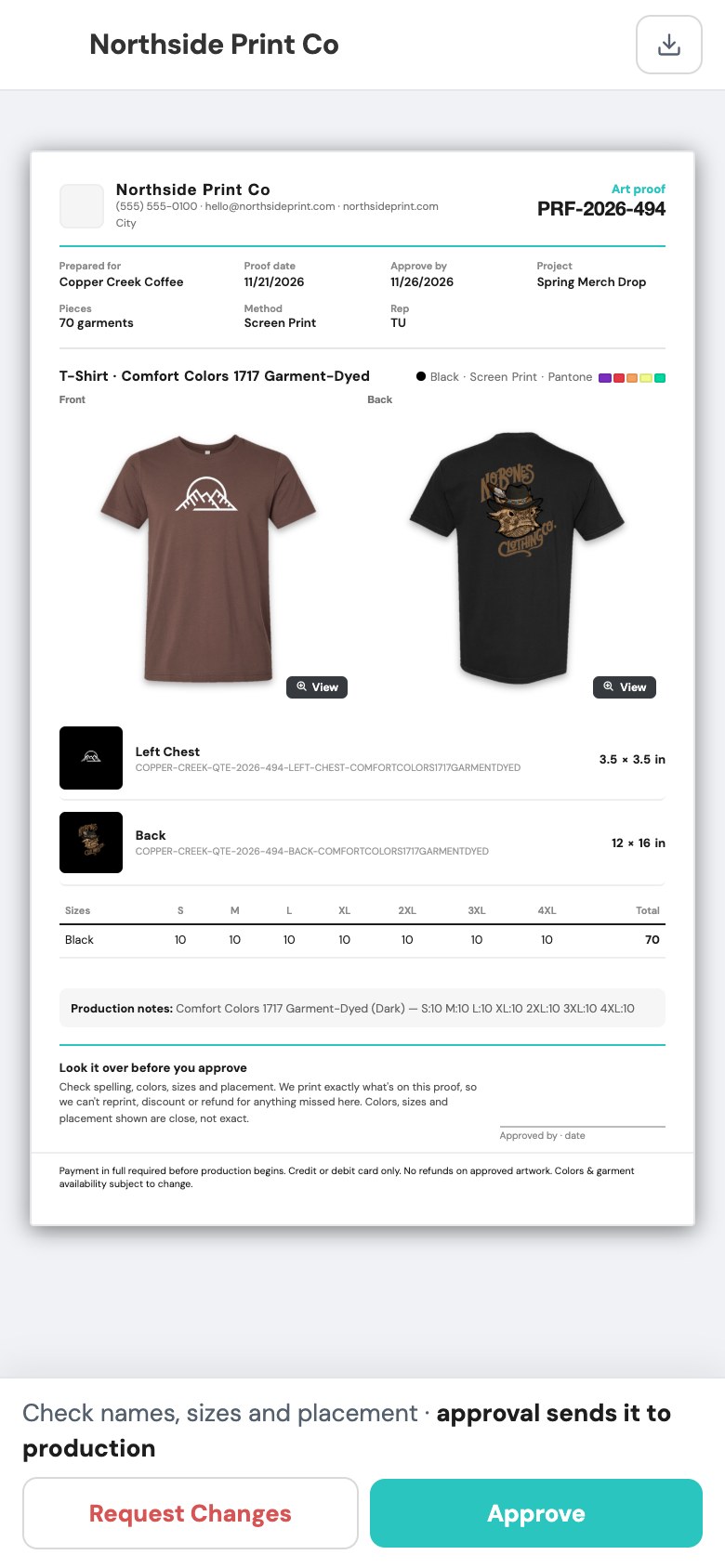
Art proof approval software should end the back and forth, so every Prntly OS proof shows the art on the real garment color with print sizes, placements and the size breakdown the customer is approving.

The customer opens one link on their phone and taps Approve or asks for changes. Their answer lands on the job, so nothing prints until it's approved.

Every version of the art stays in the customer's folder, so you can find last year's logo when they reorder.

01

Mockups on the real garment.

Place the art on the garment, set the print size and location, and add front and back. The proof shows exactly what will print.

YouPlace the logo, 3.5 inches, left chest.
Prntly OSBuilds a proof the customer can read.
prntlyos.com
02

Approved from their phone.

Send one link by text or email. They tap Approve or ask for changes, and can pay the deposit right there.

YouSend the proof.
Prntly OSCollects the answer and the deposit.
9:41
A customer approving an art proof on a phone
03

Photoreal mockups for bigger jobs.

Build a photoreal mockup for a sales pitch or a store listing without design software.

YouPick a garment and drop the art.
Prntly OSMakes a mockup ready to share.
prntlyos.com
04

Approval moves the job forward.

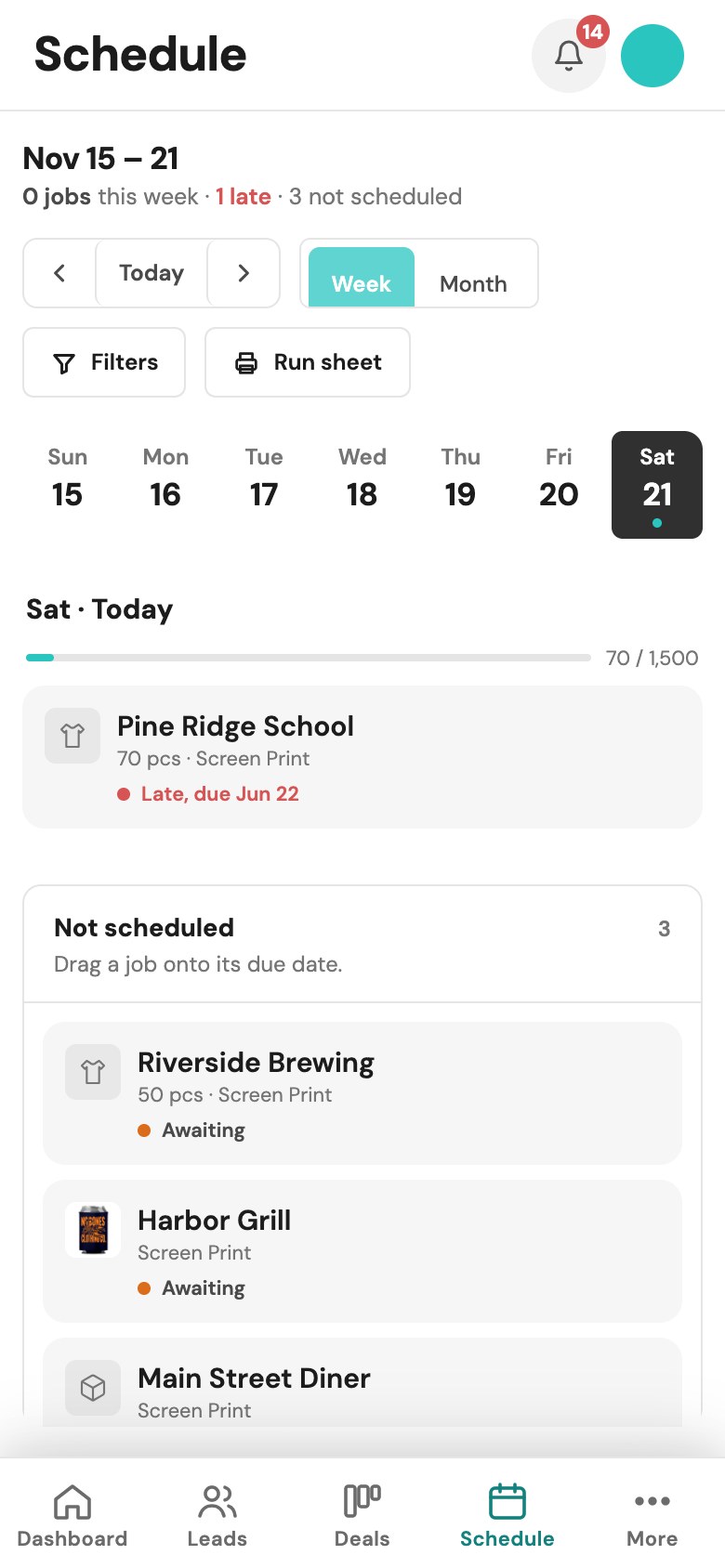
Once the proof is approved the job lines up for production with the art and print sizes attached.

YouWait for the yes.
Prntly OSLines up the job when it comes in.
9:41
The production schedule on a phone
Questions

What shops ask about proofs.

What does the customer see?

The art on the garment color they picked, front and back, with print sizes, placements and the quantities by size. They approve or ask for changes from any phone or computer.

Can they request changes instead of approving?

Yes. They tap Request Changes and leave a note. You see it on the job and can send a new version from the same place.

Can the customer pay a deposit when they approve?

Yes. If the job needs a deposit, they can pay it from the same link they approve on.

Where does the art live?

In the Art Library, in a folder for each customer and project, with every version kept.

How much does it cost?

Plans start at $49 a month for one or two people, $129 for small teams and $249 for larger shops. Every plan has a 14-day free trial with no credit card.

More for print shops

Built for every kind of shop.

You print.
It handles the rest.

Try every feature free for 14 days. No credit card.

Start free trial